Publishing on GitHub
(this is just the home page rendered as slides instead)
Repository Contents
_quarto.ymlcontrols the structure of the website (e.g., navigation tabs)index.qmdis home page contentsyllabus.qmdis a template syllabussyllabus-insert.qmdis boilerplate* content to include in all syllabi (keeping it a separate file makes it easier to update when new guidance comes out)assignments.qmdis a template assignment guide/slides/is a folder for slide decksday1.qmdis a template Revealjs slide deckford.scssgives slides a Ford School logo backgroundweill.scssgives slides a Weill Hall background (see, e.g., day1 slides)index.qmdautomatically indexes slide decks in the slides folder on the slides tab of the website
accessibility.qmdis a page of accessibility tipsmichigan.scssstyles all web pages, documents, and slides based on font and color guidance from the University of Michigan (optional; see HTML Theming for other options)/code/is a folder for code (optional)copy-syllabus-template-insert-to-other-courses.Ris R code to copy files to other course folders
/assets/is a folder for other useful thingscourse.bibis an example bib file (optional)accessiblity-fixes.jsis JavaScript that fixes accessibly issues with web pages and HTML slides (see accessibly page)
/docs/is where files are rendered when Quarto builds the website — ⚠️ DON’T EDIT IT MANUALLY ⚠️.gitignoreis a list of files to ignore (i.e., to not track or publish)
*This particular boilerplate language is from the “Ford School Syllabus Template AY 2025-26.docx” Google Drive file downloaded as Markdown.

2. On https://github.com/judgelord/PP000, click Use this template
Name this new repository whatever you want the course website address to be (e.g., “PP475”)

3. Download as a version-controlled project
In RStudio: “New Project”–> “Version Control”

5. Build/render your new website!
In RStudio: “Build” –> “Render Project” (the button may say “Render Website” instead)

In RStudio: select changes/files to commit on the “Git” tab. Then push the changes.

(If you don’t already use GitHub, you will need to authorize/authenticate your computer to push changes to GitHub via a personal access token)
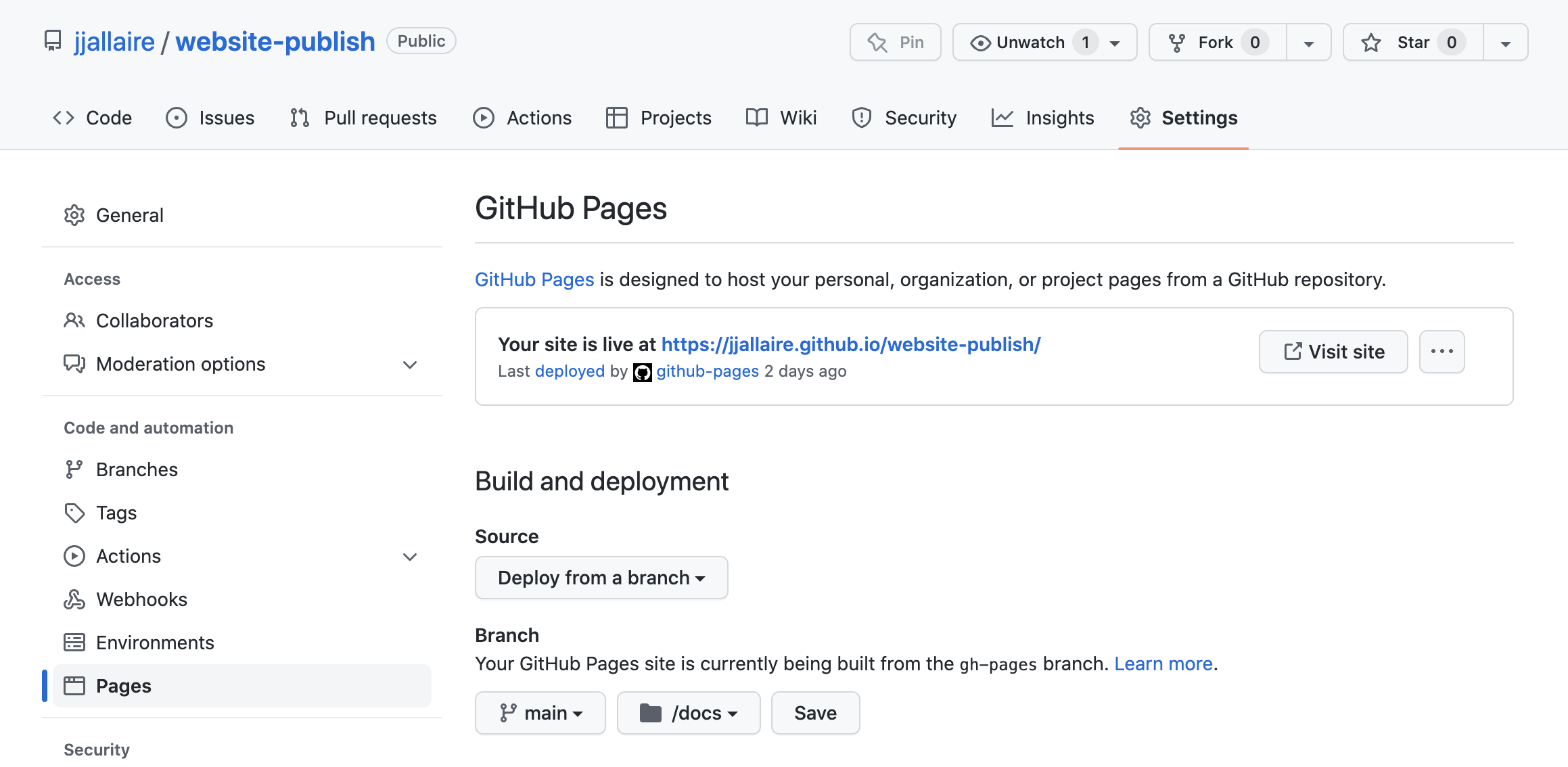
7. In GitHub Settings –> Pages, publish from the /docs/ folder